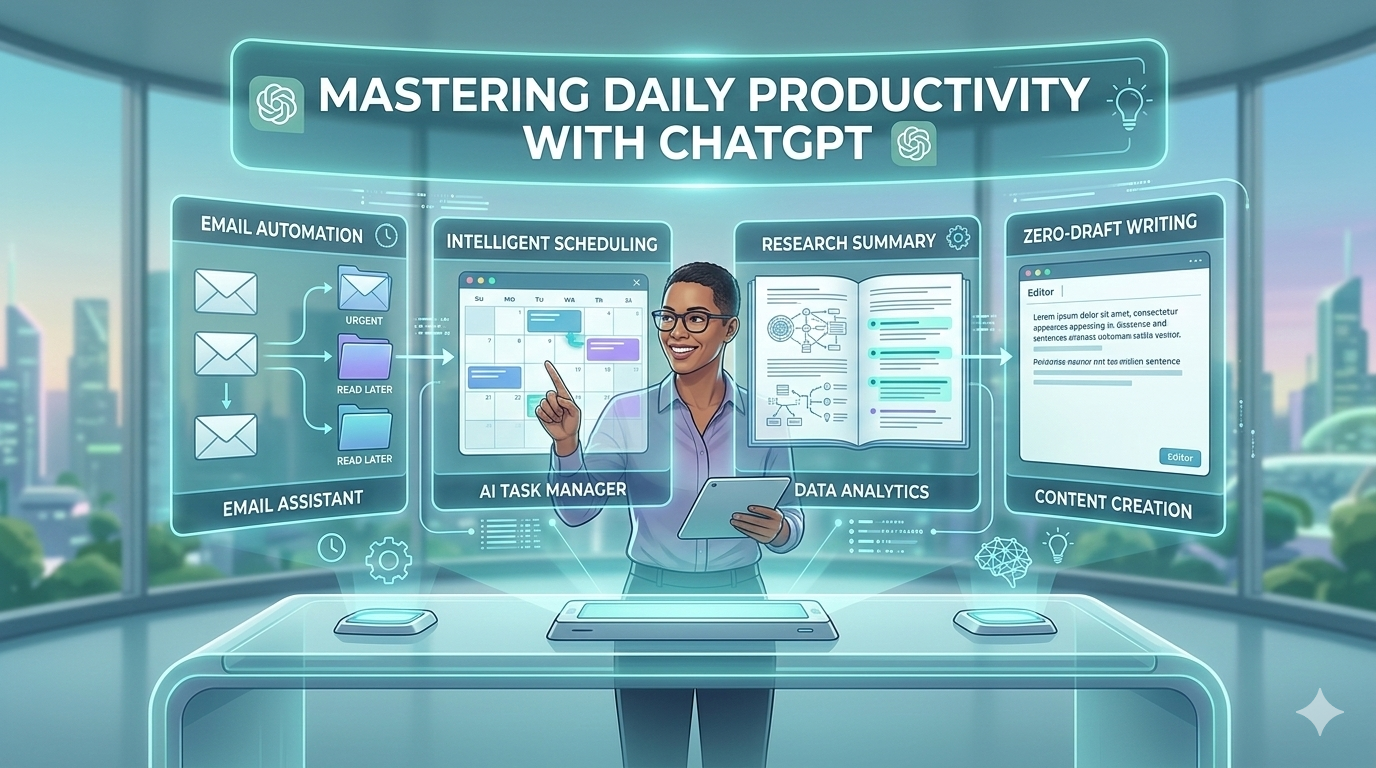

Discover how to use ChatGPT as a high-speed personal assistant. From time-blocking to email automation, here are the top AI productivity hacks for 2026.
Introduction: The Shift from Searching to Doing
You can improve daily productivity with ChatGPT by using it as a personal assistant for scheduling, writing, research, and problem-solving. Instead of wasting hours searching online, you can use AI workflow hacks to automate tasks, manage time, and simplify complex work in minutes.
In the past, productivity advice focused on working harder. People followed the idea of “hustle culture,” where success meant working long hours without breaks. But today, the modern approach is different.
Now we focus on AI-augmented workflows. Instead of doing everything manually, professionals use artificial intelligence to support their daily tasks. AI tools help you write faster, organize your schedule, and automate repetitive work.
One of the most powerful tools for this purpose is ChatGPT. It works like a digital assistant that can think, summarize information, and generate ideas instantly.
According to research by McKinsey & Company, artificial intelligence can increase productivity by up to 40% in many knowledge-based jobs. That means tasks that once took hours can now be completed in minutes.
This article will show you exactly how to improve daily productivity with ChatGPT using practical strategies. You will learn how to turn ChatGPT into your AI personal assistant in 2026 and use simple prompts to streamline your workflow.
Setting Up Your ChatGPT Personal Assistant
Before using AI workflow hacks, you need to set up ChatGPT correctly. When configured properly, ChatGPT can remember your goals and help you work more efficiently every day.
Custom Instructions for a Permanent “Work Mode”
One powerful feature in ChatGPT is Custom Instructions. This feature allows you to tell the AI who you are and how you want it to respond.
Instead of explaining your situation every time you start a conversation, you can set permanent instructions.
For example, you can write something like:
- I am a blogger writing about AI productivity.
- Use simple English and clear explanations.
- Provide SEO-friendly content ideas.
- Give practical and actionable advice.
Once you add these instructions, ChatGPT automatically adjusts its responses to match your needs. This saves time and ensures consistency in your work.
Example Setup
You can set instructions like:
Role:
“I am a content creator who writes about AI tools and productivity.”
Tone:
“Use simple English that beginners can understand.”
Goal:
“Help me write SEO articles and improve workflow efficiency.”
With this setup, ChatGPT becomes a specialized assistant for your daily tasks.
Using “Memory” to Maintain Context
Another powerful feature is Memory. This allows ChatGPT to remember important details about your projects and workflow.
For example, ChatGPT can remember:
- Your blog niche
- Your writing style
- Your business goals
- Recurring tasks
This means the AI can provide better suggestions because it understands your context.
For example, if you often write about productivity tools, ChatGPT will suggest relevant ideas, prompts, and strategies automatically.
This turns ChatGPT into a real AI personal assistant for 2026 rather than just a simple chatbot.
5 Practical Ways to Improve Your Daily Workflow
Now let’s explore the most effective AI workflow hacks you can start using today.
1. Intelligent Time-Blocking & Scheduling
Many people struggle with time management. They create long to-do lists but fail to organize them properly.
This is where ChatGPT can help.
You can ask the AI to create a structured daily schedule using time-blocking, a productivity method where tasks are assigned specific time slots.
Example Prompt
“Organize these 10 tasks into a 9-to-5 schedule based on my peak energy hours (9 AM–12 PM).”
ChatGPT will analyze the tasks and produce a structured plan.
Example output:
| Time | Task |
| 9:00 – 10:00 | Deep work writing |
| 10:00 – 11:00 | Research |
| 11:00 – 12:00 | Editing |
| 1:00 – 2:00 | Emails |
| 2:00 – 3:00 | Meetings |
This helps you focus on the right work at the right time.

Using ChatGPT for time management can reduce decision fatigue and help you stay productive throughout the day.
2. The “Zero-Draft” Method for Writing
One of the biggest productivity problems is the blank page problem. Many people waste time trying to write the perfect first sentence.
The Zero-Draft Method solves this problem.
Instead of writing everything yourself, ask ChatGPT to generate a rough draft. You can then edit and improve it.
For example, if you need to write an email, you can use a prompt like:
“Write a professional email replying to a client about project delays. Keep it polite and solution-focused.”
ChatGPT will instantly generate a draft.
You can then modify the tone, add details, and finalize the message.
This technique saves time and improves writing speed significantly.

This method works for many tasks:
- Blog articles
- Emails
- Reports
- Social media posts
- YouTube scripts
Instead of spending hours writing, you can produce content much faster.
3. Meeting Synthesis & Action Items
Meetings often consume a large part of the workday. Unfortunately, many meetings are long and unproductive.
AI can help summarize meetings instantly.
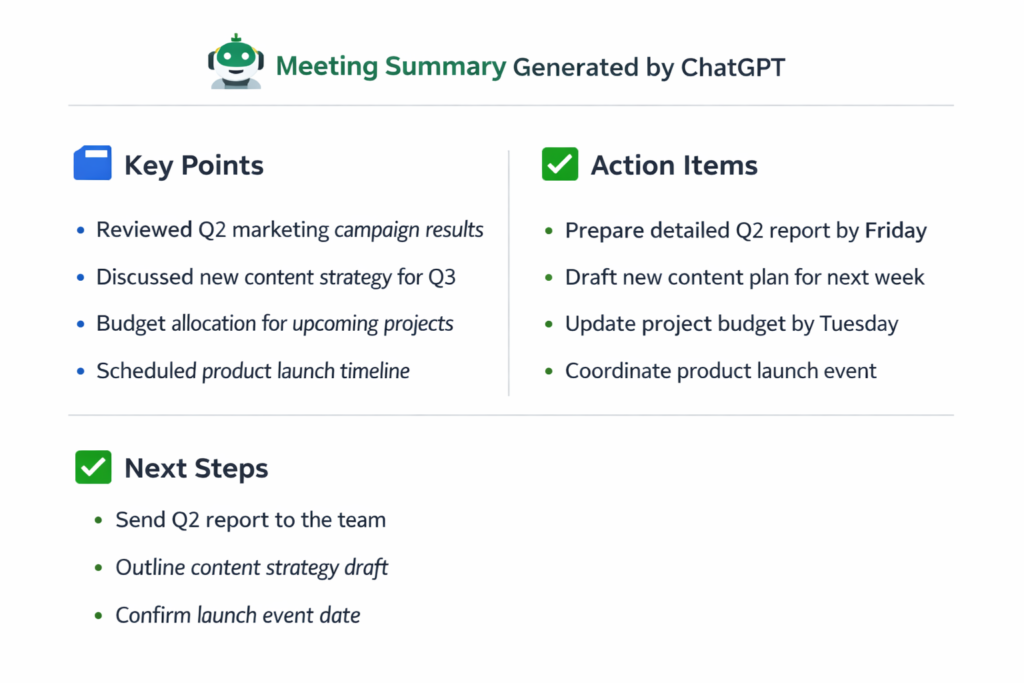
You can take a meeting transcription and paste it into ChatGPT. The AI will produce a clear summary with key action points.
Example Prompt
“Summarize this meeting transcript in 5 bullet points and list the action items.”
The output might include:
Meeting Summary
- Discussed marketing strategy for next quarter
- Reviewed campaign performance
- Planned new social media experiments
Action Items
- Create campaign report by Friday
- Launch test campaign next week
- Prepare analytics dashboard
4. Rapid Research & Concept Simplification
Research is another task that consumes a lot of time.
Instead of reading dozens of articles, you can ask ChatGPT to simplify complex ideas.
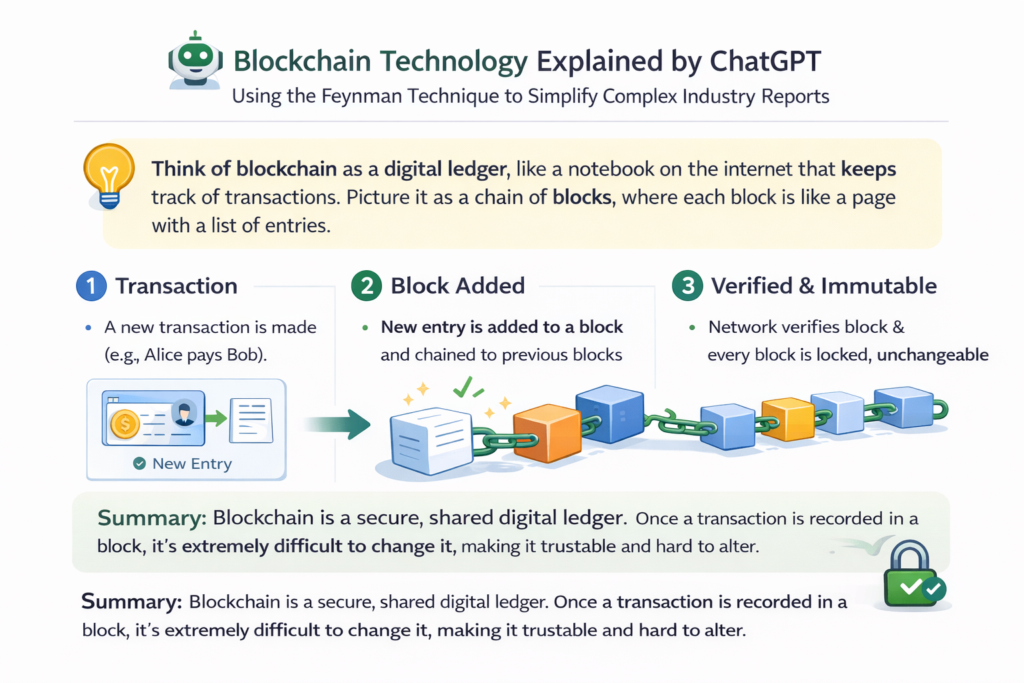
One useful approach is based on the Feynman Technique.
The idea is simple: if you cannot explain something in simple language, you do not fully understand it.
Example Prompt
“Explain blockchain technology using the Feynman technique as if I were a beginner.”
ChatGPT will provide a clear explanation using simple words and examples.
This makes learning faster and more efficient.
You can use this method to understand:
- Industry reports
- Research papers
- Technical documents
- Business strategies
5. Code & Technical Troubleshooting
Even if you are not a programmer, ChatGPT can help with technical tasks.
For example, many professionals struggle with spreadsheets.
ChatGPT can generate formulas instantly.
Example prompt:
“Create an Excel formula that calculates profit margin automatically.”
The AI will produce the correct formula and explain how to use it.
You can also use ChatGPT to:
- Fix website errors
- Write simple scripts
- Automate repetitive tasks
- Generate SQL queries
This makes AI a powerful productivity tool even for non-technical users.
Essential Prompt Engineering Frameworks for 2026
To get the best results from ChatGPT, you need to write better prompts.
One effective method is the Context-Goal-Output (CGO) Framework.
1. Context
Explain who you are and what situation you are in.
Example:
“I am a productivity blogger writing for beginners.”
2. Goal
Describe the exact task.
Example:
“Write an article outline about AI productivity.”
3. Output
Specify the format.
Example:
“Provide the result as a table.”
Example Prompt
“Context: I am a blogger writing about productivity.
Goal: Create a weekly content plan.
Output: Provide it as a table.”
Using this framework makes ChatGPT responses more accurate and useful
Best Practices for Data Privacy & Accuracy
AI tools are powerful, but users must use them responsibly.
The most important rule is Trust but Verify.
ChatGPT can generate helpful information, but you should always check important facts before using them professionally.
You should also avoid entering sensitive data such as:
- Company passwords
- Private financial details
- Confidential documents
If you need to brainstorm sensitive ideas, you can use Temporary Chat in ChatGPT.
Temporary chats are not saved to memory, which improves privacy.
By following these practices, you can safely use AI for productivity.
Comparison Table: ChatGPT Free vs. Plus for Productivity
| Feature | ChatGPT Free ($0/mo) | ChatGPT Plus ($20/mo) |
| Primary Model | GPT-5.2 Instant (Limited) | GPT-5.2 Thinking (Full Access) |
| Daily Message Cap | ~10 messages / 5 hours | 160 messages / 3 hours |
| Reasoning Depth | Standard (Fast, basic logic) | Deep Reasoning (Complex problem solving) |
| Agent Mode | No | Yes (Automates multi-step tasks) |
| Deep Research | 5 lightweight tasks / month | 25+ Full-Depth Research tasks |
| Memory & Context | 16K Context (Short-term) | 256K Context (Remembers entire projects) |
| File Analysis | 3 files per day | 80 files per 3-hour window |
| Image Generation | 2–3 images / day | 50 images / 3 hours + Sora Video |
| Custom GPTs | Use only (cannot create) | Create & Deploy your own custom tools |
Frequently Asked Questions (FAQ)
Can ChatGPT replace my daily planner?
ChatGPT can act as a powerful planning assistant. It can create schedules, organize tasks, and suggest productivity strategies. However, many people still prefer combining ChatGPT with digital planners or productivity apps.
How do I keep my data safe while using AI?
Avoid entering sensitive information such as passwords or private business data. Follow the Trust but Verify rule and use temporary chats when discussing confidential ideas.
What is the best productivity prompt for beginners?
A simple but powerful prompt is:
“Organize my tasks into a productive daily schedule and prioritize the most important work first.”
This prompt helps beginners start using ChatGPT for time management immediately.
Conclusion: Your 15-Minute AI Integration Plan
Improving daily productivity with ChatGPT does not require complicated systems. The best approach is to start small.
Here is a simple 15-minute AI integration plan:
- Spend 5 minutes setting up Custom Instructions.
- Use ChatGPT to organize your daily schedule.
- Generate a zero-draft for your next email or document.
- Ask ChatGPT to summarize information you are researching.
Within a few days, you will notice how much time you save.
Artificial intelligence is not replacing human creativity. Instead, it is amplifying it.
When used correctly, tools like ChatGPT can help you work smarter, learn faster, and accomplish more every day.
Which of these ChatGPT productivity hacks will you try first?
Share your favorite ChatGPT prompt in the comments and start building your AI-powered workflow today.